
Quick Answer
A retirement plan becomes far more useful once you know what to ask it. Most people start with the biggest questions, can I retire, will I have enough, is this a good plan, and those are understandable but too broad to guide action. A useful planning question points at something specific: a phase, an account, a risk, a threshold, a trade-off, or a decision.
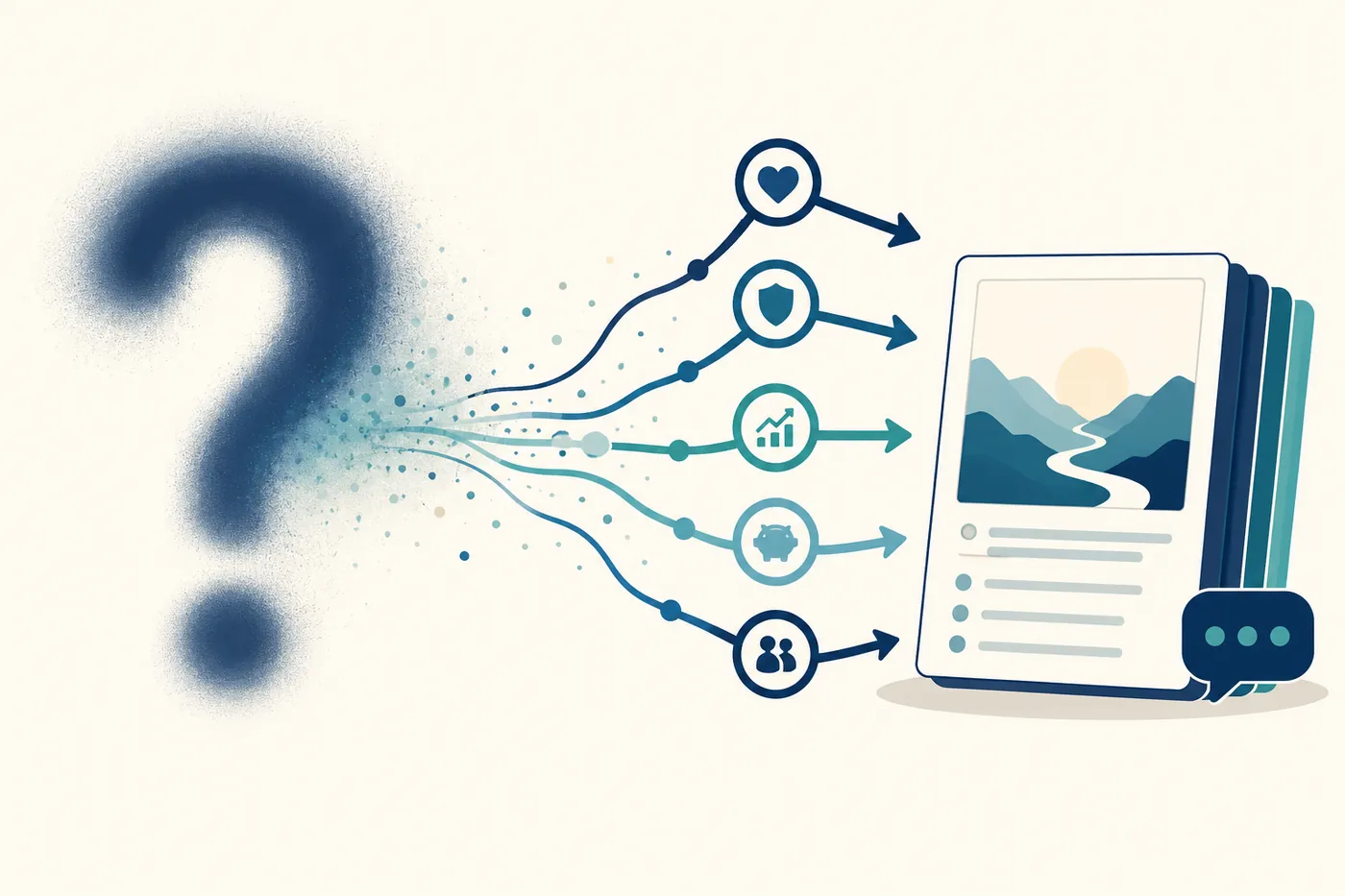
The clearer the question, the more useful the answer, and that is true whether you use a spreadsheet, an advisor, a calculator, or an AI assistant. This article covers how to ask better questions about your plan, and then how an optional AI review, one that works from your own plan numbers rather than generic advice, can help you find the weak spots and weigh the trade-offs faster.
This is the tenth article in our framework series drawn from the free companion eBook. The previous one covered comparing withdrawal strategies, one of the exact things a good question, or a good AI prompt, should interrogate.
📘 Free companion eBook: this series is drawn from Build a Retirement Plan You Can Question. Get the full framework free.
Key Takeaways
- Specific beats broad. "Can I retire?" is too general. Tie the question to a phase, a threshold, or a decision.
- Attach it to a phase. Retirement is a timeline, so a question that names the phase gets a sharper answer.
- Ask about the weakest link. Find where the plan is most fragile first, rather than trying to fix everything at once.
- Ask about trade-offs, not just outcomes. The useful question is what a change improves and what it weakens.
- AI review is optional and plan-aware. Adding your own AI key lets the assistant review your actual numbers, but the planner works fully without it.
- The AI reviews, you decide. It can summarize, explain, and propose, and it can be wrong, so every suggestion gets checked before you apply it.
From Broad Questions to Useful Ones
The single biggest upgrade to a retirement question is to make it specific. "Is my income enough?" invites a vague answer. "Is my income enough from 62 to 65, before Medicare begins?" points straight at a phase you can inspect. The same move works everywhere: instead of "how can I save taxes," ask whether you have unused 12% bracket space before RMDs begin, and whether using it would create an ACA or IRMAA problem.
Too broad: Is my retirement plan good?
Better: Which phase has the biggest risk, and what specific assumption causes it?
Specific questions lead to review, comparison, and action. Broad ones lead to reassurance or worry, neither of which changes the plan.
Attach the Question to a Phase
Retirement is a timeline, and a plan can be strong in one phase and weak in another, so the question should match the timeline. Rather than "is my income enough," ask whether real income stays acceptable after Social Security starts, or whether the plan weakens once required minimum distributions begin. For each phase it helps to ask what that phase is meant to accomplish, which income sources are available, which risks apply, what balance must remain for the next phase, and which decision in this phase has the largest effect later. Phase-based questions prevent the vague, plan-wide answers that hide the real issue.
Ask About the Weakest Link
Most plans have a weakest link, the pre-Medicare years, the bridge before Social Security, future RMD pressure, inflation-adjusted income late in life, a thin cash reserve, or heavy reliance on investment returns. A strong review deliberately hunts for it: which phase has the lowest real monthly income, which has the weakest ending balance, which assumption moves the plan most, which account runs down fastest, where the plan first becomes uncomfortable under a lower-return assumption. You do not need to fix everything at once. Naming the weakest area tells you where attention should go first.
Ask About Trade-offs, Not Just Outcomes
A retirement plan is full of trade-offs, so the best questions ask about them directly. Higher income today can mean lower balances later; keeping income low for ACA can leave traditional accounts growing toward bigger RMDs; delaying Social Security can improve later income but require larger bridge-year withdrawals. Instead of "should I withdraw more," ask how increasing withdrawals in this phase affects tax, healthcare costs, and the next phase's ending balance. Instead of "should I do Roth conversions," ask how much conversion room you have before a tax or healthcare threshold, and how it changes future RMD pressure. A trade-off question produces a decision you can actually weigh.
Ask What Changed
Whenever you change a plan, ask what changed, and look wider than the number you were aiming at. If you raise a withdrawal, do not only check income; check taxes, healthcare, ending balance, real income, account mix, and plan health. If you add a Roth conversion, look at the tax, the healthcare thresholds, both account balances, and future RMDs. The useful questions are simply: what improved, what worsened, which phase changed most, did the change create a new warning, is the trade-off acceptable, and would a smaller version work better. The goal is to understand the effect before you accept the change.
Reviewing With AI: Optional, and Built on Your Plan
Once you know how to ask, an AI assistant can make the review faster, and the AI Retirement Income Planner offers one as an optional feature. The important word is optional: the planner works fully without it. You can enter your details, review phase cards, adjust withdrawals, estimate taxes, check healthcare costs, compare scenarios and strategies, and save your plan with no AI at all. The core calculations live in the file. The AI adds conversation and analysis on top.
What makes the built-in AI different from pasting a question into a generic chatbot is context. The planner already holds your ages, phases, balances, withdrawals, tax settings, healthcare assumptions, Social Security timing, and plan-health checks, so it can hand the assistant a structured picture of your plan instead of a blank box you have to describe from memory. That is why the quality of the question matters even more here: a vague prompt gets a vague answer, while a specific, plan-aware prompt gets a specific review. If you would rather start from something already written, there is a set of ready-made prompts for the planner.
How much can I increase spending in Phase 2 before real income, the ending balance, or plan health gets weaker?
The AI Reviews, You Decide
An AI assistant is a reviewer, not a decision-maker. It can summarize, explain, compare, and propose changes, and it can also be wrong, incomplete, or too confident, and it may not know the latest rule change unless the current values are in front of it. A good way to hold it is simple: the planner calculates, the AI helps explain and propose, and you decide. Every suggestion should be checked against the actual numbers, current rules, and your own goals, which is the heart of using AI safely for retirement planning and the reason a genuine calculator underneath the AI matters so much. AI that reasons over verified numbers is useful; AI that free-associates about retirement is not.
How the Planner's AI Works
In the planner, the AI is genuinely plan-aware and kept firmly under your control. You bring your own key, and it is multi-provider: Anthropic's Claude, OpenAI, Google Gemini, OpenRouter, a local model via Ollama, or a custom OpenAI-compatible endpoint, each storing its own key and model choice, so you are not locked to one vendor. There are two ways to use it. The AI Chat tab answers questions about the plan you have entered, and the Plan-with-AI sidebar opens alongside any tab so you can ask for changes in plain English while you work.
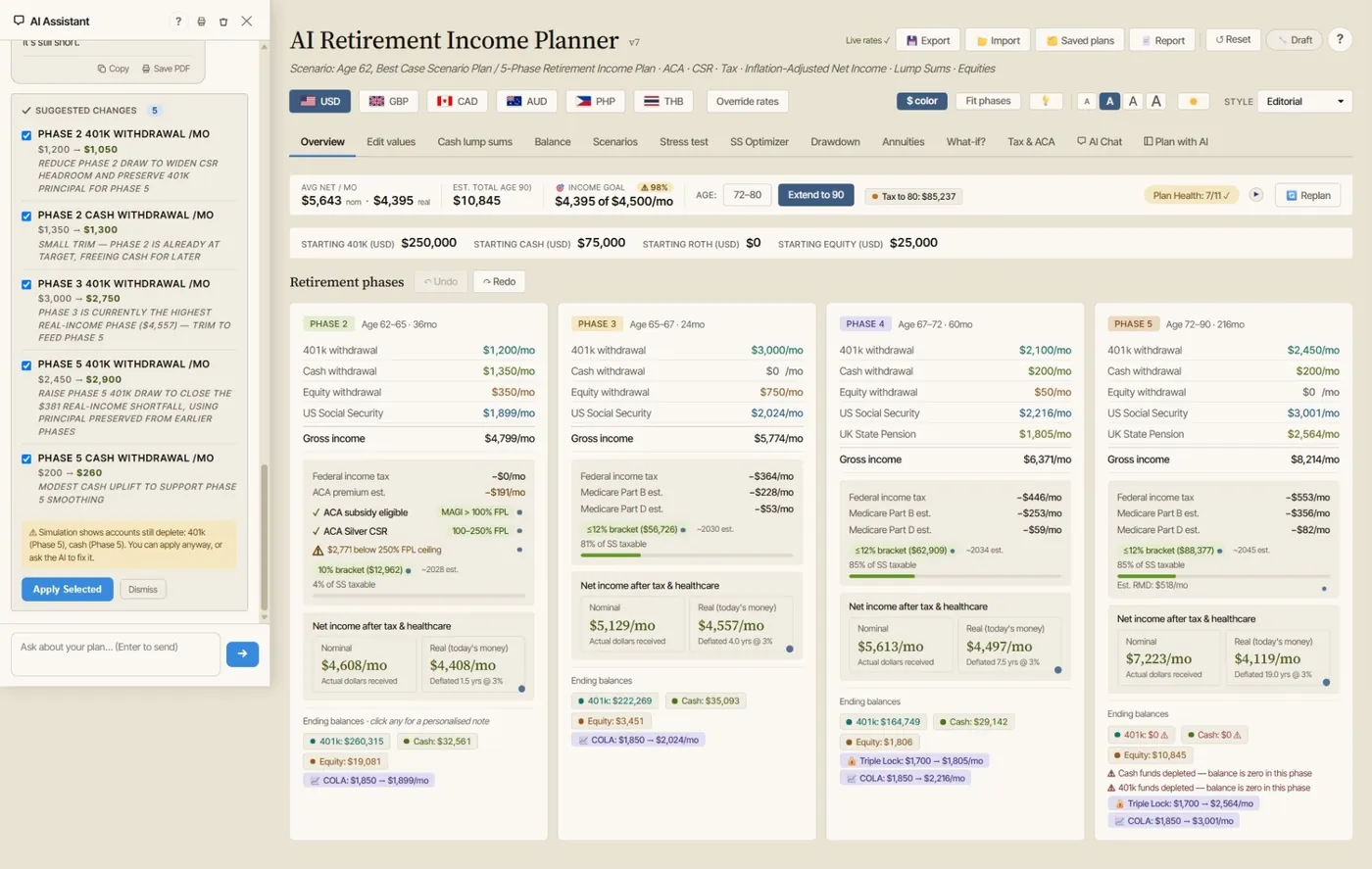
Two design choices keep it honest. First, it separates Plan mode from Learn mode: Plan mode reviews your real numbers, while Learn mode explains how the planner works without touching your plan. Second, and most important, when you ask it to change something, it does not silently edit your plan. It returns proposed changes that you review and apply selected, and every proposed change set is checked against the simulation before you approve it, so nothing alters your plan until you say so, and one click undoes it. One-click starter prompts (summarize and flag risks, tax bracket check, ACA and CSR check, withdrawal strategy review, propose optimizations, Roth conversion advice) give the review a running start, and the newer "Ask AI about this comparison" button hands a saved side-by-side of two plans straight to the assistant. Our hands-on guides walk through the mechanics in detail: how to use the AI co-pilot and asking AI to compare two plans. The through-line of all of it is that the assistant proposes and you dispose.
A Practical First Review
After entering a plan, a practical first pass looks like this. Ask for a summary of the plan and its main risks. Ask which phase is weakest. Ask whether net income and real income cover essential expenses. Ask whether tax brackets are being used efficiently. Ask whether ACA or IRMAA thresholds are a concern. Ask whether future RMDs create pressure. Ask which withdrawal strategy best fits the plan. Ask for one or two specific improvements. Then review the suggested changes before applying anything, and save the revised plan as a separate scenario so you can compare it against the original. Whether you run that sequence yourself or with the AI, it turns a broad retirement review into a practical, repeatable workflow, and it keeps the plan firmly in your hands. Making that review a regular habit is the subject of the next article in this series, on keeping your retirement plan current.
FAQ
What makes a good question to ask about a retirement plan?
A good question is specific and tied to something you can act on: a phase, an account, a threshold, a trade-off, or a decision. "Can I retire?" is too broad to guide action, while "which phase has the weakest ending balance?" or "do I have unused 12% bracket space before RMDs, and would using it affect ACA?" point straight at a review. The clearer the question, the more useful the answer, whether you are asking a spreadsheet, an advisor, or an AI assistant.
Do I need AI to use the retirement planner?
No. The AI Retirement Income Planner works fully without any AI. You can enter your plan, review phase cards, adjust withdrawals, estimate taxes and healthcare costs, compare scenarios and withdrawal strategies, and save your plan with no key at all. The AI review is an optional layer that adds conversation and analysis on top of the plan, using your own provider key, for those who want it.
How is the planner's AI different from a general chatbot?
Context. A general chatbot starts from a blank box and can only work with what you type from memory. The planner already holds your ages, phases, balances, withdrawals, tax settings, healthcare assumptions, and plan-health checks, so it can give the assistant a structured picture of your actual plan. That lets you ask about specific numbers and trade-offs rather than receiving generic reminders, and it is why a specific, plan-aware prompt produces a far more useful review.
Can the AI change my plan on its own?
No. When you ask the planner's AI to change something, it returns proposed changes that you review and approve, and every proposed change set is checked against the simulation before you apply it. Nothing alters your plan until you select it, and one click undoes it. The AI is a reviewer and assistant: it summarizes, explains, and proposes, but the calculations belong to the planner and the decisions belong to you.
Where can I get the full framework?
This series summarizes it, but the complete step-by-step framework is in the free companion eBook, Build a Retirement Plan You Can Question. You can download it here.
Source Links
- Consumer Financial Protection Bureau, Planning for Retirement: https://www.consumerfinance.gov/consumer-tools/retirement/
- Investor.gov, Retirement Toolkit: https://www.investor.gov/additional-resources/retirement-toolkit
- FINRA, Investor Insights on using AI tools: https://www.finra.org/investors/insights
- AI Retirement Income Planner: https://airetirementincomeplanner.com/
Educational Disclaimer
This article is for general education only. It is not financial, tax, investment, legal, healthcare, Social Security, Medicare, or retirement advice. AI tools can be wrong, incomplete, or out of date, and any suggestion should be verified against current rules and your own circumstances. Confirm important decisions with official sources and a qualified professional before acting.