
Quick Answer
An AI co-pilot can help explain a retirement plan by translating calculator output into plain English.
It can help with:
- Why a Plan Health item is flagged.
- What changed between two scenarios.
- Why taxes rose in a Roth conversion test.
- Why healthcare costs changed before Medicare.
- How Social Security timing affects withdrawals.
- What a survivor scenario is showing.
- Which assumptions deserve review.
- How to turn a report into a checklist.
An AI co-pilot should not replace the planner, official sources, professional review, or user judgment.
The best workflow is:
- Enter facts into the planner.
- Run the calculator.
- Review the output.
- Ask the AI co-pilot to explain a specific result.
- Test one scenario at a time.
- Review and approve any proposed change yourself.

Key Takeaways
- An AI co-pilot is most useful after the calculator has produced plan output.
- It can explain, summarize, organize, and suggest scenarios to test.
- It should not make final decisions about claiming Social Security, Roth conversions, taxes, insurance, investments, or retirement timing.
- OpenAI's ChatGPT FAQ says outputs may be inaccurate, untruthful, and otherwise misleading at times.
- Investor.gov warns that AI-generated investment information can be inaccurate, incomplete, misleading, faulty, or made up.
- Calculator-backed AI is safer because the explanation starts from structured numbers.
- The AI Retirement Income Planner pairs optional AI assistance with Plan Health, Plan Confidence, scenarios, What-if tools, reports, and user-approved AI proposals.
What An AI Co-Pilot Is Good At
An AI co-pilot is useful when the task is explanation.
Retirement planning output can be dense. A planner may show charts, phase cards, account balances, tax estimates, healthcare assumptions, Social Security timing, Plan Health checks, scenario tables, and report notes.
The numbers matter, but many users need help understanding what the numbers mean.
An AI co-pilot can help translate:
- "MAGI rose" into "this income measure affected tax or healthcare thresholds."
- "IRMAA Not Triggered flagged" into "Medicare premiums may be sensitive to income."
- "Portfolio Survives to End failed" into "the accounts used for spending may not last to the target age."
- "Survivor Income Resilience failed" into "the surviving spouse may have less income after one benefit stops and tax filing changes."
- "Scenario B has lower final balance" into "the earlier retirement date created more withdrawal years."
That kind of explanation can make the planner easier to use.
Why The Calculator Still Comes First
AI is strongest when it explains a result that already exists.
A retirement planner calculates:
- Income by phase.
- Taxes.
- Healthcare costs.
- Account balances.
- Social Security timing.
- RMD estimates.
- Roth conversions.
- Inflation.
- Survivor income.
- Scenario changes.
- Stress-test results.
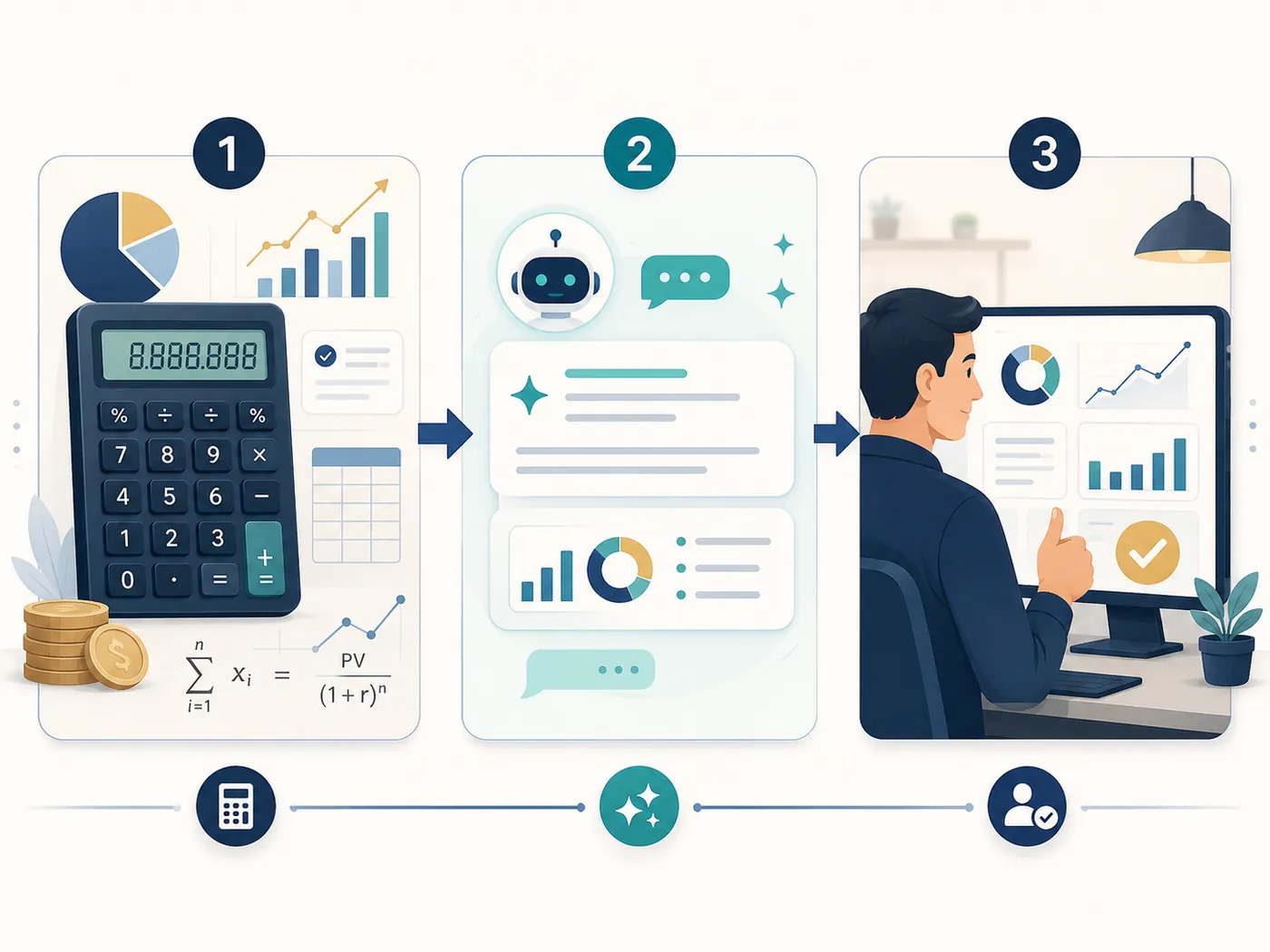
AI can then explain those outputs.
If the order is reversed, the AI may give a polished answer without enough facts.
That is the danger, and it is why AI needs a retirement calculator underneath it. A pleasant explanation can feel like a calculated result even when it is not.
The safer order is:
- Calculator first.
- AI explanation second.
- User review third.
Explaining Plan Health
Plan Health is one of the best places to use an AI co-pilot, so it helps to know how to use Plan Health before you ask about a specific check.
A Plan Health item may be technically accurate but still hard to interpret.
For example, using the planner's own check names:
- Income Adequacy may fail because one phase has too little net income.
- Tax Bracket Efficiency may flag an avoidable planning opportunity.
- ACA Subsidy Protected may flag exposure before Medicare.
- IRMAA Not Triggered may flag after income rises.
- Portfolio Survives to End may fail because drawn-from accounts run down.
- Stress Test Resilient may fail under weaker returns and higher inflation.
- Survivor Income Resilience may fail after one spouse dies.
An AI co-pilot can explain what the flag means, which planner inputs may be driving it, and what scenarios might be worth testing. Each failing or warning check in the planner also has a one-click "Ask AI about this" button that pre-fills a plan-aware prompt, so you do not have to write the question from scratch.
The key is to ask about the specific check. A focused prompt like this gives the co-pilot a useful job:
My Stress Test Resilient check is flagged. Explain what this means in plain English, list the inputs that may be driving it, and suggest three scenarios I could test. Do not choose for me.
A vague version, by contrast, invites vague judgment:
Is my plan healthy?
Explaining Scenario Differences
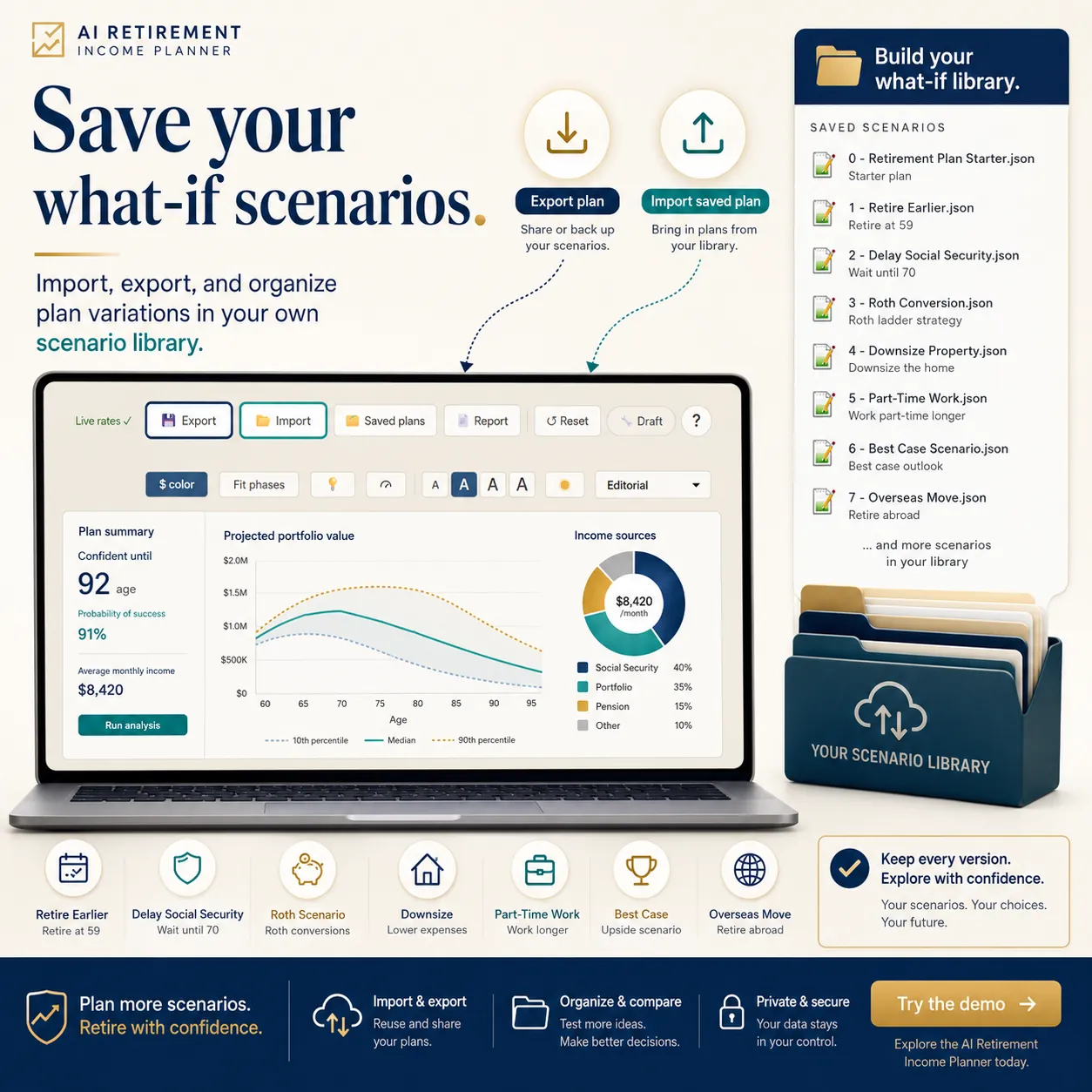
An AI co-pilot can also help compare scenarios. The planner has a dedicated button for this: comparing two retirement plans with AI puts two saved plans side by side and asks the AI to explain what is driving the difference.
For example, suppose the planner has:
- Scenario A: retire at 65.
- Scenario B: retire at 62.
The co-pilot can explain:
- Why cash runs down earlier.
- Why healthcare costs appear before Medicare.
- Why Social Security timing matters.
- Why Roth conversions have less or more room.
- Why ending balance changes.
- Which Plan Health items changed.
This is useful because a scenario comparison is rarely about one number.
A higher ending balance may come with lower early spending. A lower ending balance may buy three more years of retirement. A Roth conversion may raise current tax but reduce later RMD pressure. A delayed Social Security plan may require larger early withdrawals.
The co-pilot can explain the tradeoffs. The user still decides which tradeoff fits.
Explaining Taxes And Healthcare
Taxes and healthcare are areas where AI explanation can help, but caution matters.
The planner may show:
- Federal tax.
- State tax if modeled.
- MAGI.
- ACA exposure.
- Medicare premiums.
- IRMAA exposure.
- Roth conversion tax.
- RMD pressure.
- Social Security taxation.
An AI co-pilot can explain which inputs are likely affecting the result.
For example:
My Roth conversion scenario increased taxes and flagged IRMAA. Explain what changed and which assumptions I should verify. Do not decide whether I should do the conversion.
That prompt keeps the AI in an educational role.
Do not ask AI to choose a tax strategy or healthcare option. Ask it to explain the calculated output and list what to verify through official sources and qualified professionals.
Explaining Social Security Timing
Social Security timing is another good co-pilot use case.
A planner can compare claim ages and show the impact on:
- Monthly income.
- Portfolio withdrawals before benefits start.
- Taxes.
- Survivor income.
- Ending balances.
- Longevity sensitivity.
An AI co-pilot can then explain why the result changed.
For couples, this matters because the Social Security decision is more than a single-person break-even question. Survivor income can change the household result.
The co-pilot can help summarize that tradeoff, but SSA rules and household facts should still be verified.
Explaining Survivor Planning
Survivor planning can be emotionally difficult and technically confusing.
The planner may show that after one spouse dies:
- One Social Security benefit stops.
- The survivor may keep the larger benefit.
- Tax filing status can change.
- Brackets may become narrower.
- Monthly net income may fall.
- Spending may not fall by half.
- Portfolio withdrawals may increase.
An AI co-pilot can explain the before-and-after in plain English.
This is one of the places where explanation can reduce confusion. It can help the user see why a plan that looks fine for a couple may look weaker for the surviving spouse.
It should still be handled with care, because the result depends on inputs, assumptions, and real household preferences.
Explaining Reports
The planner's Report preview can be printed or saved as PDF through the browser.
An AI co-pilot can help turn report output into:
- A plain-English summary.
- A list of assumptions.
- A list of watch items.
- A professional-review checklist.
- A scenario follow-up list.
- A short explanation for a spouse or family meeting.
This is useful because reports can be dense.
The co-pilot should not make the report sound certain. A good summary should say what the plan assumes, what it calculates, and what still needs review.
What An AI Co-Pilot Should Not Explain Away
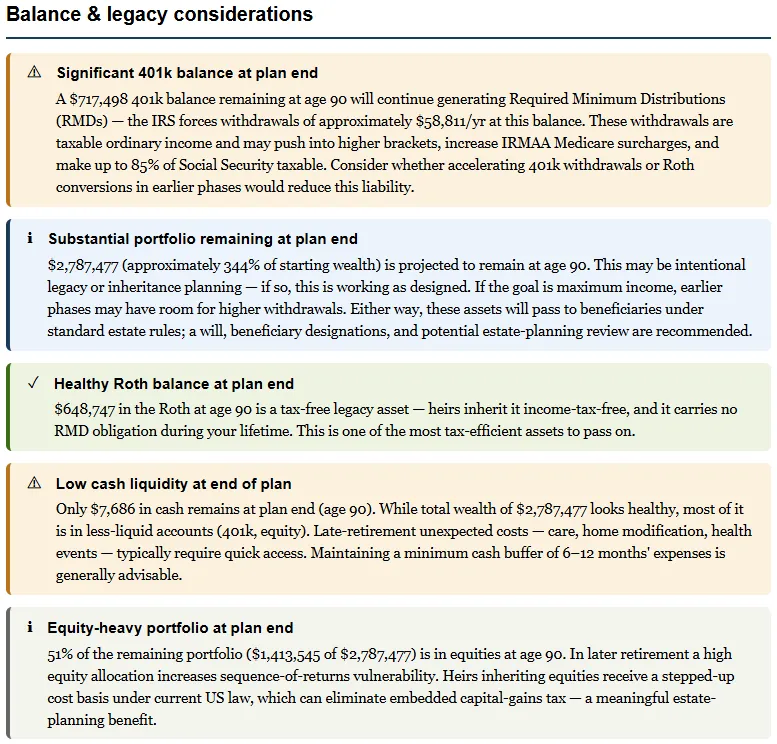
An AI co-pilot should not make weak output sound comfortable.
Be careful if AI:
- Downplays a failing Plan Health item.
- Treats a warning as harmless without context.
- Gives a precise conclusion from incomplete information.
- Ignores taxes.
- Ignores healthcare.
- Ignores survivor income.
- Ignores sequence risk.
- Ignores official-source verification.
- Makes a decision sound settled.
- Suggests changing numbers without user review.
If the planner flags a risk, the co-pilot should help explain it, not smooth it over. Keeping that boundary is the heart of how to use AI safely for retirement planning.
How The AI Retirement Income Planner Uses This Idea
The AI Retirement Income Planner is built around calculator-backed explanation.
The planner calculates the retirement plan first. Then optional AI can help explain the results.
Useful AI-assisted surfaces include:
- AI Chat for plan questions.
- Plan review.
- Learn-the-planner mode.
- Proposal workflows.
- Plan with AI sidebar.
- Ask AI buttons in relevant areas.
- User-approved AI proposals.
The surrounding planner tools keep the explanation grounded:
- Plan Health checks.
- Plan Confidence score.
- Scenarios.
- What-if explorer.
- Stress Test.
- Monte Carlo.
- Historical backtesting.
- Social Security tools.
- Tax and healthcare tools.
- Report preview.
- Plan notes.
This matters because the co-pilot can explain a result that the planner actually calculated. If you want the step-by-step version, the guide on how to use the AI co-pilot walks through each surface in turn.
A Good AI Co-Pilot Workflow
Use this workflow:
- Build or load the plan.
- Review the Overview.
- Open Plan Health.
- Save the base scenario.
- Test one change in What-if or Scenarios.
- Compare taxes, healthcare, balances, and net income.
- Ask the AI co-pilot to explain the specific change.
- Verify rule-based claims through official sources.
- Decide whether to keep the change.
- Save notes.
- Print or save the Report preview if the scenario is worth keeping.
This workflow keeps the co-pilot useful without handing over the decision.
Better Questions To Ask A Co-Pilot
Try questions like:
- "Explain why this Plan Health item is flagged."
- "Summarize what changed between these two scenarios."
- "Which inputs seem to drive this healthcare cost change?"
- "Why did taxes rise after this Roth conversion test?"
- "What assumptions should I verify before relying on this scenario?"
- "Explain this survivor scenario in plain English."
- "Turn this report into a checklist for a tax professional."
- "List three scenarios I should test next."
Avoid questions like:
- "What should I do?"
- "Which plan is best?"
- "Can I retire?"
- "How much should I convert?"
- "Which account should I spend first?"
The better questions keep the user in control.
FAQ
What is an AI co-pilot for retirement planning?
An AI co-pilot is an assistant that helps explain retirement planning output, summarize scenarios, clarify Plan Health items, and organize follow-up questions. It should work beside a calculator, not replace it.
Can an AI co-pilot explain a retirement plan?
Yes. It can explain calculated outputs such as taxes, healthcare costs, Social Security timing, survivor income, balances, Plan Health items, scenario differences, and report summaries.
Should an AI co-pilot decide when I retire?
No. It can help explain scenarios and list assumptions to verify, but retirement timing should be based on calculator output, official sources, personal judgment, and qualified professional review where appropriate.
Why does the calculator need to come first?
Retirement planning depends on structured math. The calculator models taxes, healthcare, Social Security, withdrawals, balances, and risk. AI is more useful when it explains those calculated results.
How does Plan with AI help?
Plan with AI can work beside planner tabs so users can ask questions about the result they are viewing. Proposal workflows should remain user-approved.
Can AI summarize a retirement report?
Yes. AI can turn a report into a plain-English summary, assumption list, watch list, and professional-review checklist. The user should still verify important rules and assumptions.
Source Links
- OpenAI, ChatGPT General FAQ: https://help.openai.com/en/articles/6783457-chatgpt-general-faq
- OpenAI, Data Controls FAQ: https://help.openai.com/en/articles/7730893-data-controls-faq
- Investor.gov, Artificial Intelligence and Investment Fraud: https://www.investor.gov/introduction-investing/general-resources/news-alerts/alerts-bulletins/investor-alerts/artificial-intelligence-fraud
- NIST, AI Risk Management Framework: https://www.nist.gov/itl/ai-risk-management-framework
- AI Retirement Income Planner: https://airetirementincomeplanner.com/
Educational Disclaimer
This article is for general education only. It is not financial, tax, investment, legal, healthcare, insurance, privacy, cybersecurity, Social Security, Medicare, estate, AI safety, software, or retirement advice. AI output and planner projections depend on inputs and assumptions, and real-world outcomes can differ.