
Short Verdict
A retirement spreadsheet can be excellent when the plan is simple, the user understands the formulas, and the goal is flexible DIY modeling.
Retirement planning software is usually better when the plan needs taxes, healthcare costs, Social Security timing, spouse modeling, Roth conversions, RMDs, ACA income, Medicare IRMAA, scenario comparison, drawdown strategies, Monte Carlo, historical backtesting, and reports.
The best choice depends on the job.
Use a spreadsheet when you need flexibility and control.
Use retirement planning software when you need a purpose-built retirement model that connects many moving parts.
For people who like spreadsheet ownership but want more retirement-specific logic, the AI Retirement Income Planner sits in the middle: a private browser-based planner you buy once, run locally, and manage yourself, without an account or bank connection.
Key Takeaways
- Spreadsheets are flexible, familiar, and inexpensive, but formulas can break and assumptions can hide.
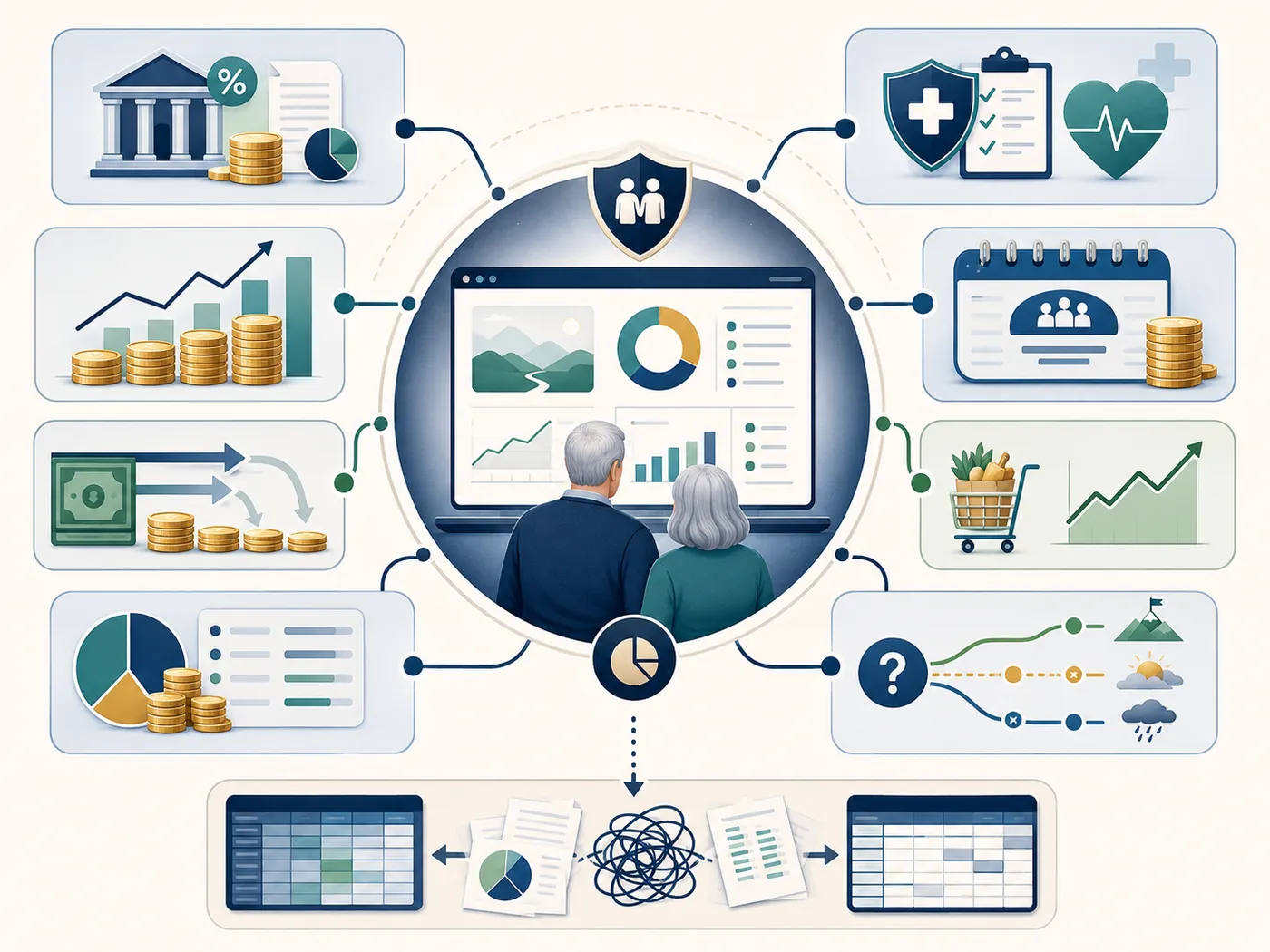
- Purpose-built retirement planning software can connect taxes, healthcare, withdrawals, Social Security, and risk tools in one workflow.
- A spreadsheet may be enough for a simple retirement estimate.
- Software is often better for couples, early retirees, Roth conversion planning, ACA planning, IRMAA, RMDs, survivor planning, and scenario testing.
- Privacy depends on the tool. A local spreadsheet, a cloud spreadsheet, a cloud planner, and a local browser planner all handle data differently.
- The AI Retirement Income Planner is designed for users who want detailed retirement planning without a subscription, account, or bank link.
Comparison Table
| Question | Retirement spreadsheet | Retirement planning software |
|---|---|---|
| Best fit | Simple or custom DIY planning | Detailed retirement income planning |
| Cost | Often low or already available | Free, subscription, or one-time purchase depending on tool |
| Flexibility | Very high | Depends on software design |
| Formula transparency | High if user understands the workbook | Lower formula visibility, higher guided structure |
| Risk of formula error | Higher | Lower for built-in logic, still depends on inputs |
| Taxes | Must be built or added | Often built into serious planners |
| Healthcare | Must be modeled manually | Better planners include ACA, Medicare, IRMAA, or healthcare assumptions |
| Social Security | Must be entered manually or built | Better planners compare claiming ages and spouse scenarios |
| RMDs | Must be built | Often included |
| Roth conversions | Possible but formula-heavy | Easier when built into workflow |
| Scenarios | Possible with copied tabs | Usually easier |
| Monte Carlo and backtesting | Possible but advanced | Built into some tools |
| Privacy | Depends on local vs cloud spreadsheet | Depends on local vs cloud planner |
| Reporting | Manual | Often built in |
| Long-term maintenance | User-maintained | Vendor or developer maintained |
When A Retirement Spreadsheet Is Enough
A spreadsheet can be the right tool when the planning question is narrow.
It may be enough if:
- You are many years from retirement and only need a rough savings target.
- You want to track account balances.
- You have one main account type.
- You are single and do not need spouse or survivor planning.
- You are not modeling ACA subsidies.
- You are not modeling Medicare IRMAA.
- You are not doing Roth conversions.
- You are not comparing many Social Security dates.
- You are comfortable auditing formulas.
- You want full control over every row and column.
Microsoft's Excel support pages show why spreadsheets are powerful. Excel includes many function categories, including logical, lookup, financial, statistical, math, date, text, and database functions. Microsoft also documents Excel What-If Analysis tools such as scenarios, data tables, and Goal Seek.
Google Sheets has its own strengths. Google support documents version history, sharing, comments, and collaboration. Google also provides guidance for using Excel and Sheets together.
Those are real advantages.
For a capable user, a spreadsheet can become a custom planning lab.
Where Spreadsheets Start To Struggle
Spreadsheets struggle when the retirement model becomes a system.
Retirement planning can require:
- Monthly income by phase.
- Social Security timing.
- Spouse benefits.
- Survivor benefits.
- Pension start dates.
- Tax-deferred withdrawals.
- Roth withdrawals.
- Taxable brokerage gains.
- Roth conversions.
- RMDs.
- Social Security taxation.
- ACA income before Medicare.
- Medicare Part B and Part D.
- IRMAA.
- Healthcare inflation.
- State tax assumptions.
- Scenario comparison.
- Monte Carlo.
- Historical backtesting.
- Withdrawal order.
- Cash bridges.
- Lump-sum expenses.
- Annuities.
- Reports.
A spreadsheet can model many of these.
The hard part is making sure they all talk to each other correctly.
For example, a Roth conversion affects taxable income. Taxable income can affect ACA planning before Medicare. Later income can affect IRMAA after Medicare. RMDs can change withdrawals and taxes. A survivor scenario can change filing status, Social Security income, pension income, and tax brackets.
Those connections are where a spreadsheet can get fragile.
When Retirement Planning Software Is Better
Retirement planning software is usually better when the user needs a repeatable workflow.
Software can help when:
- You want a clear input screen instead of many workbook tabs.
- You need taxes and healthcare connected to withdrawals.
- You want to compare Social Security claiming ages.
- You want a spouse and survivor view.
- You want to model ACA coverage before Medicare.
- You want Medicare and IRMAA context.
- You want Roth conversions and RMDs in the same plan.
- You want multiple scenarios.
- You want stress tests.
- You want Monte Carlo or historical backtesting.
- You want charts that update automatically.
- You want a printable report.
- You want help text, glossary entries, or guided education.
Software is not automatically better.
A weak planner can be worse than a careful spreadsheet.
The advantage comes from purpose-built retirement logic.
Feature-By-Feature Comparison
Taxes
A spreadsheet can estimate taxes if the formulas are carefully built.
But retirement taxes are not one line.
A useful model may need:
- Filing status.
- Standard deduction.
- Senior deduction.
- Federal brackets.
- State tax.
- Social Security taxation.
- Traditional account withdrawals.
- Roth withdrawals.
- Taxable brokerage gains.
- RMDs.
- Roth conversions.
- NIIT.
The AI Retirement Income Planner includes US federal brackets, single and married-filing-jointly parameters, standard and senior deduction fields, Social Security provisional-income tax calculation, NIIT, optional flat state tax, RMD estimates, and Roth conversions by phase.
Healthcare
Healthcare is a common spreadsheet blind spot.
Before Medicare, ACA Marketplace income can matter. After Medicare, Part B, Part D, supplemental coverage, prescription costs, and IRMAA can matter.
A spreadsheet can include healthcare costs, but the user has to decide how those costs connect to income, withdrawals, and taxes. A retirement calculator with taxes and healthcare is built to connect them.
The planner includes ACA premium and FPL threshold modeling, ACA 400 percent FPL cliff and 250 percent CSR band references, Medicare Part B and Part D base premiums, IRMAA threshold and two-year lookback behavior, healthcare inflation, and foreign healthcare assumptions when US healthcare is excluded.
Social Security
In a spreadsheet, Social Security is often entered as one benefit amount starting at one age.
That can miss the planning question.
Social Security timing affects:
- Monthly income.
- Bridge withdrawals.
- Taxes.
- Survivor benefits.
- Portfolio risk.
- Medicare timing.
The planner includes Social Security, spouse Social Security, claiming comparison from 62 to 70, and couple claiming-age search across primary and spouse combinations.
Withdrawals
A spreadsheet can calculate withdrawals from accounts.
The challenge is comparing strategies.
A retiree may need to compare:
- Cash-first bridge.
- Taxable-first withdrawals.
- Traditional account withdrawals.
- Roth preservation.
- Roth withdrawals in selected years.
- Roth conversions.
- Part-time income.
- Pension income.
- Annuity income.
The planner includes cash, taxable equity, Roth, tax-deferred accounts, per-phase withdrawals, drawdown strategy comparison, lump-sum events, and scenario comparison.
Risk Testing
Spreadsheets can perform risk testing, but it often requires advanced formulas or add-ins.
Purpose-built software can make risk testing easier to use repeatedly.
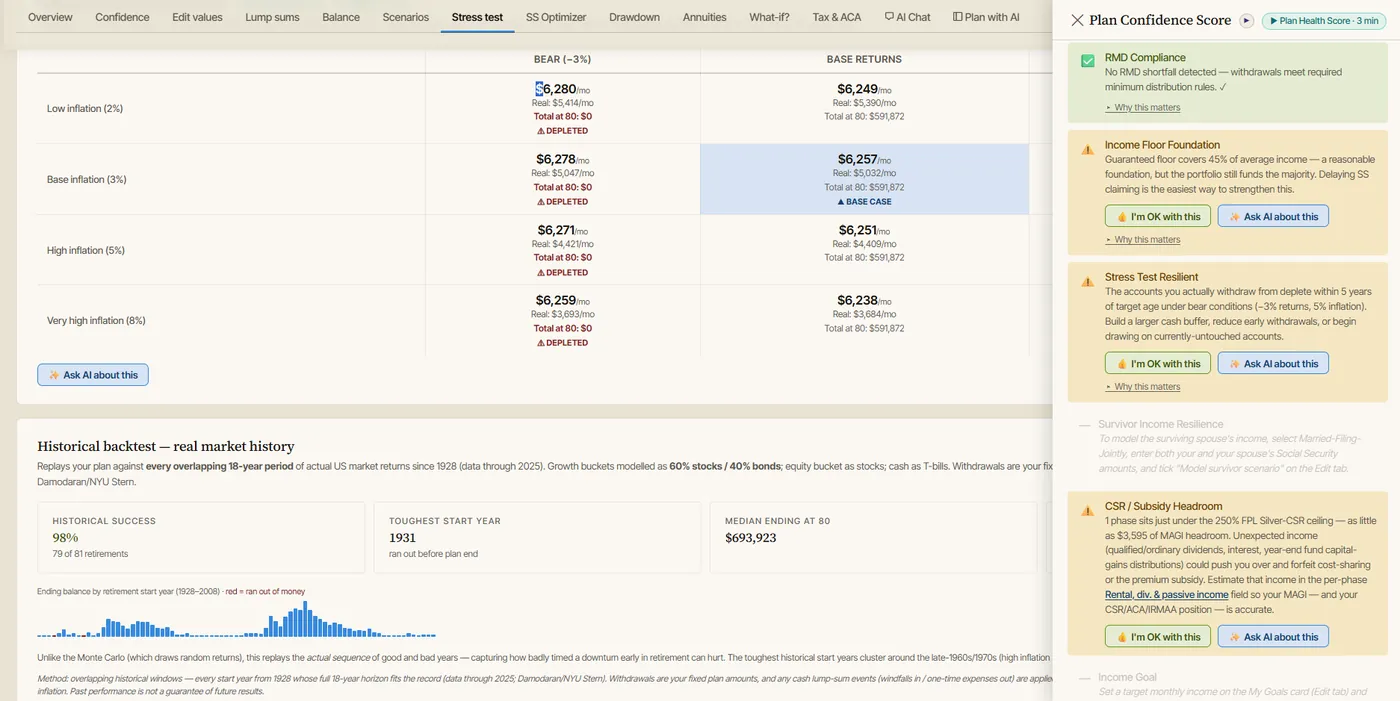
The two probability lenses answer different questions. Monte Carlo and historical backtesting test the same plan in different ways, and stress tests target specific risks directly.
The planner includes Plan Health checks, Plan Confidence score, Monte Carlo simulation, historical backtesting, stress testing using 12 scenario combinations, balance and income charts, and What-if tools.
Privacy And Data Ownership
Privacy is not simply spreadsheet versus software.
It depends on the specific tool. If privacy is the deciding factor, retirement planning software without a subscription compares the options through that lens, privacy included.
Examples:
- A local Excel workbook can stay on one computer.
- A Google Sheets file is cloud-based and tied to sharing and account settings.
- A subscription retirement planner usually stores data in an account.
- A local browser-based planner can store plan data in browser localStorage.
Google support documents version history and sharing features for Google files. Those are useful collaboration tools, but they also mean the user should understand file permissions and account access.
The AI Retirement Income Planner has a different model:
- The downloaded planner is a single self-contained HTML file.
- It runs in a modern browser.
- No account is required.
- No bank connection is required.
- Plan data is stored in browser localStorage.
- JSON export/import is available for backup and transfer.
- Report preview can be printed or saved as PDF through the browser.
Optional AI/API features, model discovery, tax-rate lookup, help-content audit, and linked videos can require network access when the user chooses to use them. Exchange rates are looked up automatically when the planner opens, and that request carries no plan data.
That qualification matters.
Privacy-focused users should ask every tool:
- Where is my data stored?
- Is an account required?
- Is a bank connection required?
- Can I export my data?
- Can I keep using the tool without renewal?
- What happens if the company changes pricing?
- Does optional AI send data to an outside provider?
Subscription And Cost Considerations
A spreadsheet can be low cost if the user already has Excel, Google Sheets, LibreOffice, or another spreadsheet tool.
But low cost does not mean low effort.
The user still has to:
- Build the formulas.
- Update tax assumptions.
- Add healthcare logic.
- Test edge cases.
- Keep backups.
- Document assumptions.
- Avoid accidental formula changes.
- Rebuild charts and reports.
Retirement planning software may cost more upfront or through a subscription, but it may save time and reduce modeling gaps.
The AI Retirement Income Planner is positioned as a one-time purchase with no subscription for the downloaded planner. That gives users a middle path: more retirement-specific structure than a spreadsheet, with more ownership than many account-based subscription tools, which is the case for buying once instead of subscribing in more detail.
If skipping a subscription is the main goal, the guide to retirement planning software without a subscription compares that approach with the main cloud tools.
Example: A Spreadsheet Works At First
Assume a single person is age 45.
They want to know:
- Current savings.
- Annual contribution.
- Assumed return.
- Retirement age.
- Basic spending target.
A spreadsheet may be enough.
The model can be simple:
- Starting balance.
- Annual contribution.
- Return assumption.
- Inflation assumption.
- Future value.
- Withdrawal estimate.
That is a reasonable early planning model.
Now fast-forward to age 61.
The same person wants to retire at 62.
They now need to test:
- ACA coverage before Medicare.
- Social Security at 62, 67, or 70.
- Cash bridge.
- Roth conversions before RMDs.
- Taxable brokerage sales.
- Medicare and IRMAA.
- Healthcare inflation.
- Sequence-of-returns risk.
- Survivor or beneficiary planning.
- A printable plan.
The spreadsheet may still work.
But the workload is very different.
Where The AI Retirement Income Planner Fits
The AI Retirement Income Planner is for users who want the structure of software without giving up ownership of the planning file.
It is strongest when the plan involves:
- Phase-based retirement income.
- Couples.
- Social Security timing.
- Survivor planning.
- ACA before Medicare.
- Medicare and IRMAA.
- Roth conversions.
- RMDs.
- Tax-aware withdrawals.
- Healthcare inflation.
- Scenario comparison.
- Stress testing.
- Monte Carlo and historical backtesting.
- Drawdown strategies.
- Optional AI help.
- Reports and notes.
It is less suited for:
- Daily budgeting.
- Expense tracking.
- Automatic bank feeds.
- Brokerage aggregation.
- Investment trading.
- Advisor-managed portfolios.
- A mobile-first workflow.
That focus is intentional.
The planner is built around one question:
How will retirement income work over time, after taxes, healthcare, withdrawals, and risk?
How To Decide
Choose a spreadsheet if:
- You enjoy building the model.
- Your situation is simple.
- You understand the formulas.
- You need a rough estimate.
- You want total flexibility.
- You are willing to maintain assumptions.
Choose retirement planning software if:
- You want the model already structured.
- Taxes and healthcare matter.
- You need spouse or survivor planning.
- You want scenario comparison.
- You want risk testing.
- You want less formula maintenance.
- You want reports.
- You want guided help.
Choose a private browser-based planner if:
- You want a purpose-built retirement model.
- You do not want a subscription for the downloaded planner.
- You do not want an account requirement.
- You do not want bank links.
- You are comfortable entering data manually.
- You want local storage and manual exports.
Educational Disclaimer
This article is educational only. It is not financial, tax, investment, legal, insurance, healthcare, Social Security, estate, or retirement advice. Spreadsheets and software are estimation tools. Results depend on inputs, formulas, assumptions, and current rules. Verify assumptions with official sources and qualified professionals before making retirement decisions. Screenshots show a sample plan with invented figures and are illustrative only.
FAQ
Is a retirement spreadsheet enough?
It can be enough for simple planning, early estimates, and users who understand the formulas. It may be weaker when the plan needs taxes, healthcare, Social Security timing, RMDs, Roth conversions, survivor planning, and risk testing.
Is retirement planning software better than a spreadsheet?
It depends on the household. Software is usually better for complex retirement income planning. A spreadsheet can be better for total flexibility and simple custom models.
What can go wrong in a retirement spreadsheet?
Common problems include broken formulas, stale assumptions, missing taxes, missing healthcare costs, weak Social Security modeling, poor survivor planning, and copied tabs that no longer match the base model.
Can a spreadsheet model taxes?
Yes, but the user has to build and maintain the tax logic. Retirement taxes can involve Social Security taxation, RMDs, Roth conversions, taxable brokerage gains, state taxes, ACA income, and IRMAA.
Can a spreadsheet run Monte Carlo?
Yes, advanced spreadsheet users can build Monte Carlo models. Many users prefer planning software because Monte Carlo, historical backtesting, and stress tests are built into the workflow.
Does the AI Retirement Income Planner replace a spreadsheet?
For many retirement income questions, yes. It is designed to model taxes, healthcare, Social Security, withdrawals, scenarios, and risk directly. Some users may still keep a spreadsheet for separate notes, budgeting, or custom tracking.
Does the planner require an account or bank connection?
No. The downloaded planner runs in a modern browser, does not require an account, and does not require bank or brokerage connections.
Is optional AI required?
No. Optional AI assistance is available, but the core planner can be used without AI. Optional AI and some live lookup features can require network access when the user chooses to use them.
Source Links
- AI Retirement Income Planner official site: https://airetirementincomeplanner.com/
- WebNomad product overview: https://webnomad.webflow.io/pages/ai-ready-retirement-income-planner
- Microsoft Support: Excel functions by category: https://support.microsoft.com/en-us/office/excel-functions-by-category-5f91f4e9-7b42-46d2-9bd1-63f26a86c0eb
- Microsoft Support: Introduction to What-If Analysis: https://support.microsoft.com/en-us/office/introduction-to-what-if-analysis-22bffa5f-e891-4acc-bf7a-e4645c446fb4
- Google Docs Editors Help: Find what's changed in a file: https://support.google.com/docs/answer/190843
- Google Docs Editors Help: Use both Excel and Sheets best practices: https://support.google.com/docs/answer/9331167